After the hard work in the previous two posts, we can now publish articles from the EmDash admin panel. But since we migrated from Astro, there's some legacy baggage—or just things that aren't quite right—that we need to clean up.
Duplicate publication dates
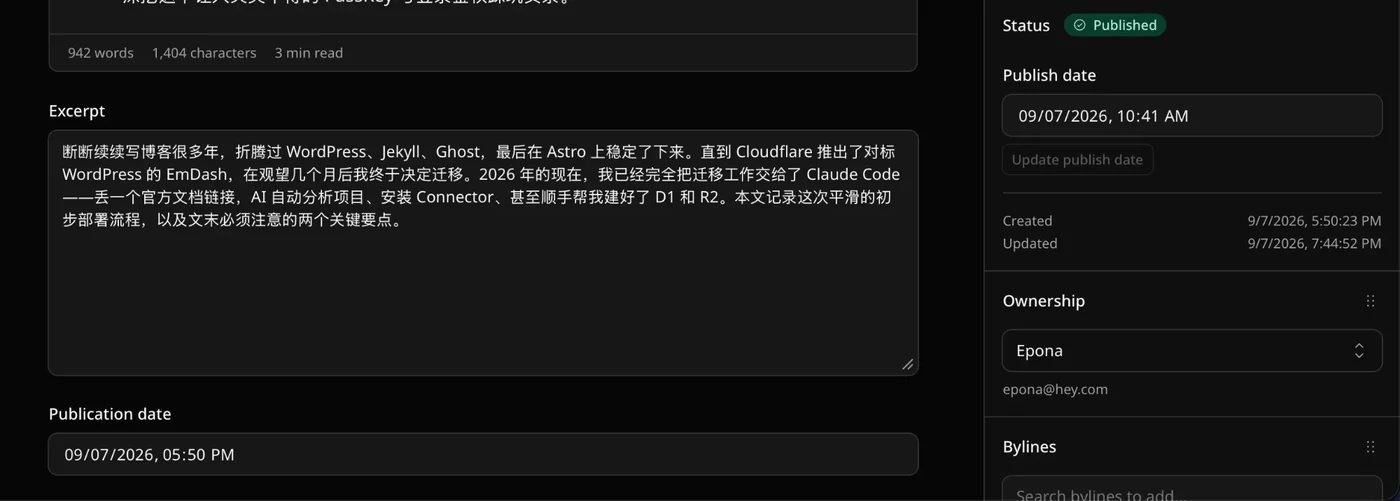
As you can see in the screenshot, the Publication date at the bottom is the pubDate value from when we used Astro to write static MDX blog posts. But on the right, EmDash has its own Publish date value—we only need to keep one of them. We'll keep EmDash's built-in one and remove the Publication date below.
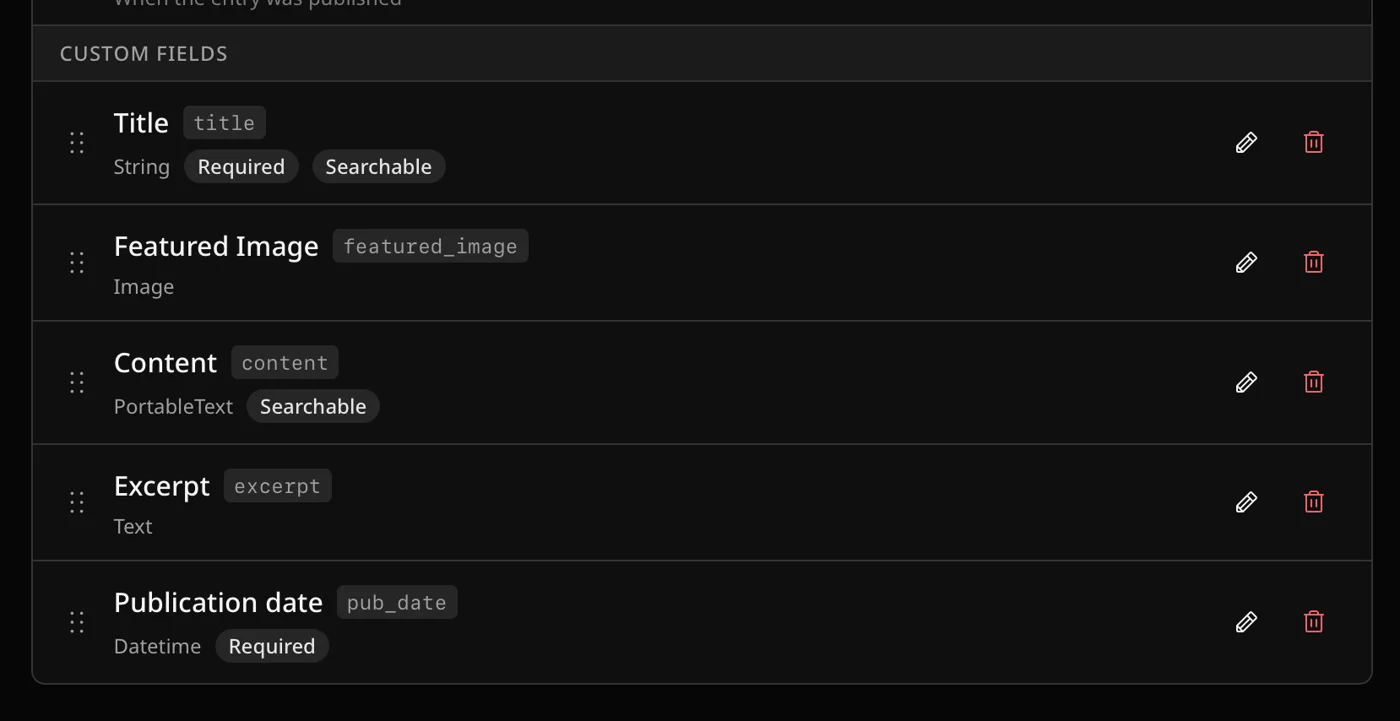
The fix is simple: go to Content Types → Post , find publication date , and click delete.
Of course, I won't go into the code changes here. Claude Code can handle that easily.
Scheduled publishing didn't work
There's still one issue: when I schedule a post, it doesn't actually publish at the specified time. But thinking about it, that makes sense—I never set up the relevant Cron, so of course scheduled publishing wouldn't fire.
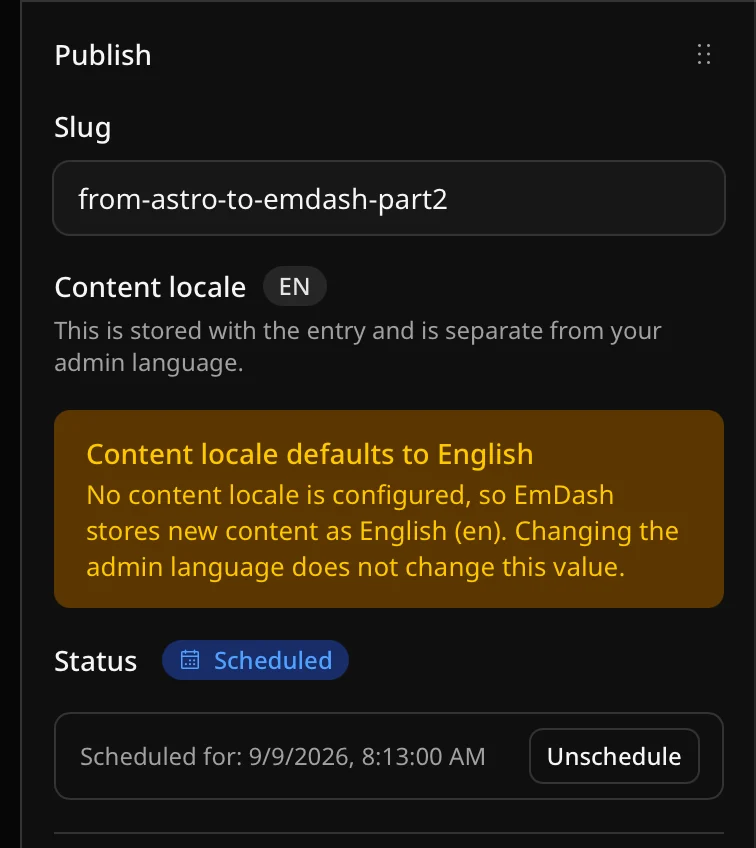
The fix is straightforward too. Refer to the official docs and add the following config to the wrangler.jsonc file:
{
    "main": "./src/worker.ts",
    "triggers": { "crons": ["* * * * *"] },
}# ./src/worker.ts
/**
* Cloudflare Worker entry.
*
* The Astro adapter's own entry only exports `fetch`, so nothing drives
* EmDash's scheduled work in production: the Cloudflare build sets
* `createScheduler = null` and expects a Cron Trigger to call
* `runScheduledTasks()` through a `scheduled()` handler. This re-export adds
* that handler to the same Worker, which is what `emdash doctor` checks for.
* Without it, scheduled posts stay `scheduled` past their publish time.
*/
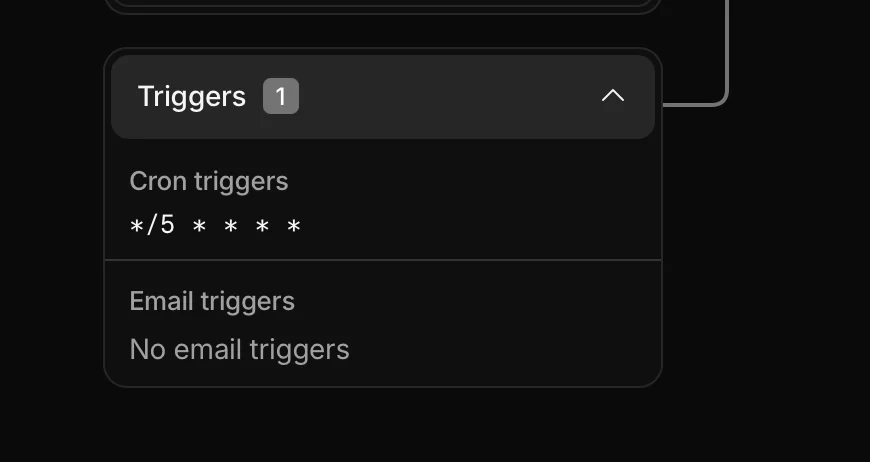
export { default, PluginBridge } from "@emdash-cms/cloudflare/worker";Then push and deploy. If you see a config like the one below, it means we've set it up successfully, and scheduled publishing will work as expected!
You got a collectible· Item get
Ancient Gear
Common
- Region
- Tech Highlands
- Found near
- Astro · Cloudflare
- Discovered
- Journey
- 2 min · 3 travellers so far
Earned by finishing this quest. The more travellers who read it, the rarer it grows.

Loading comments…