经过前两篇文章的奋战,目前我们已经能够实现在EmDash后台发文章了。但是由于是从Astro迁移过来的,有一些历史债务或者说是不太合理的地方需要去修正
双重发布时间
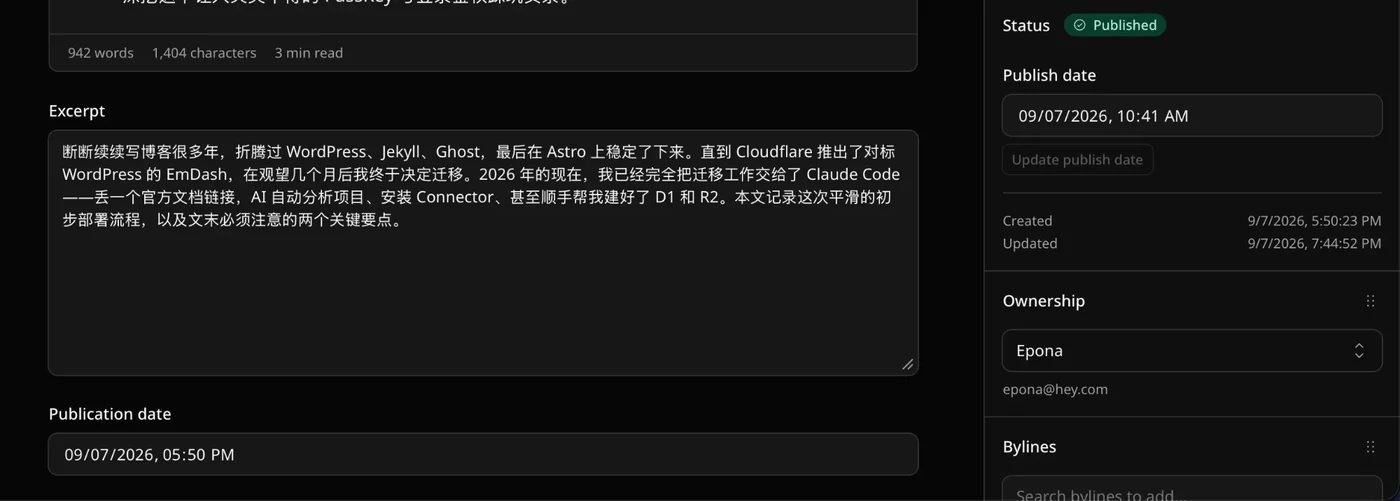
从图里面我们可以看到,最下面的 Publication date 是之前Astro写静态MDX博客时候的pubDate值。 但是右边可以看到 EmDash也有自己的Publish date值,这两者只需要留一个即可。 我们这边保留EmDash自带的,移除下面的 Publication date。
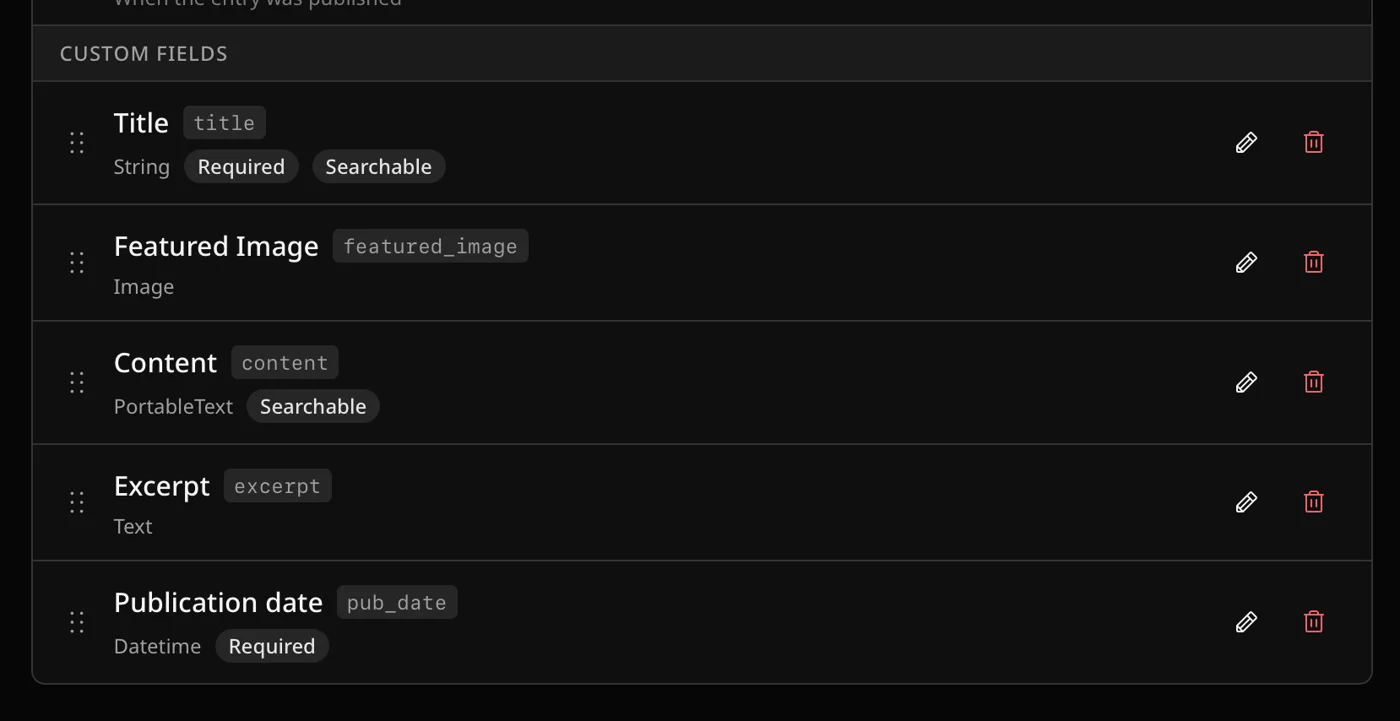
处理方法也很简单,我们前往 Content Types → Post ,然后可以看到 publication date这个,然后点击删除即可。
当然,涉及到的一些代码修改就不在这里赘述了。 交给Claude Code可以轻松完成
定时发布没有成功
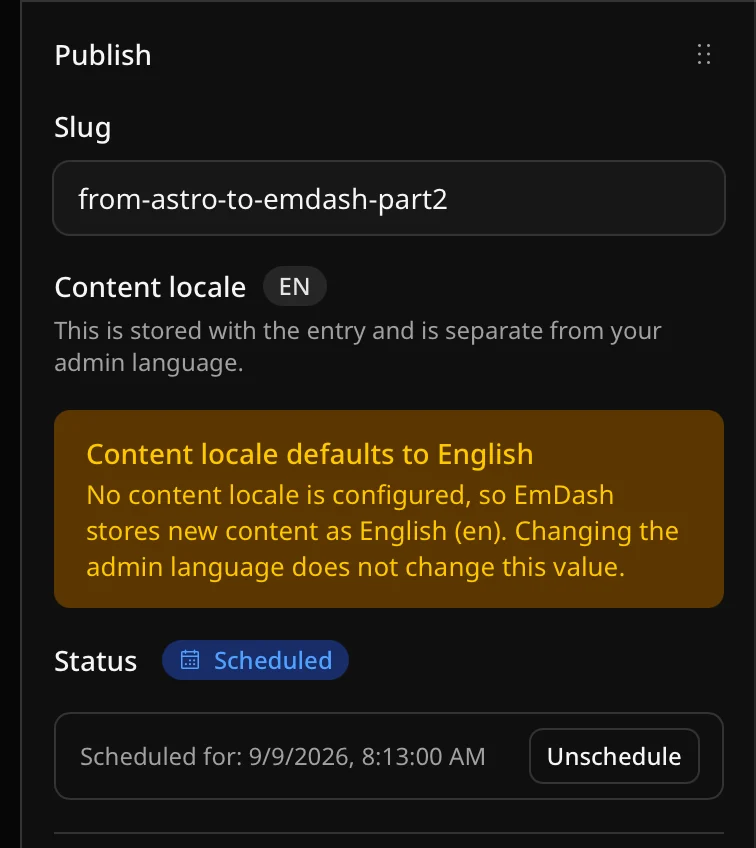
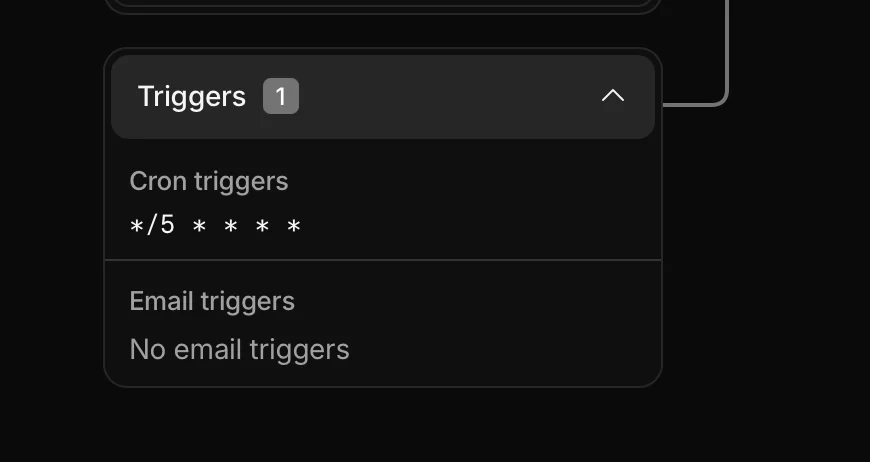
目前还有的一个问题是当我设置了定时发布文章,但是到了指定的时间后确没有发布。不过仔细一想也对,我并没有设置相关的Cron,当然不会定时发布了。
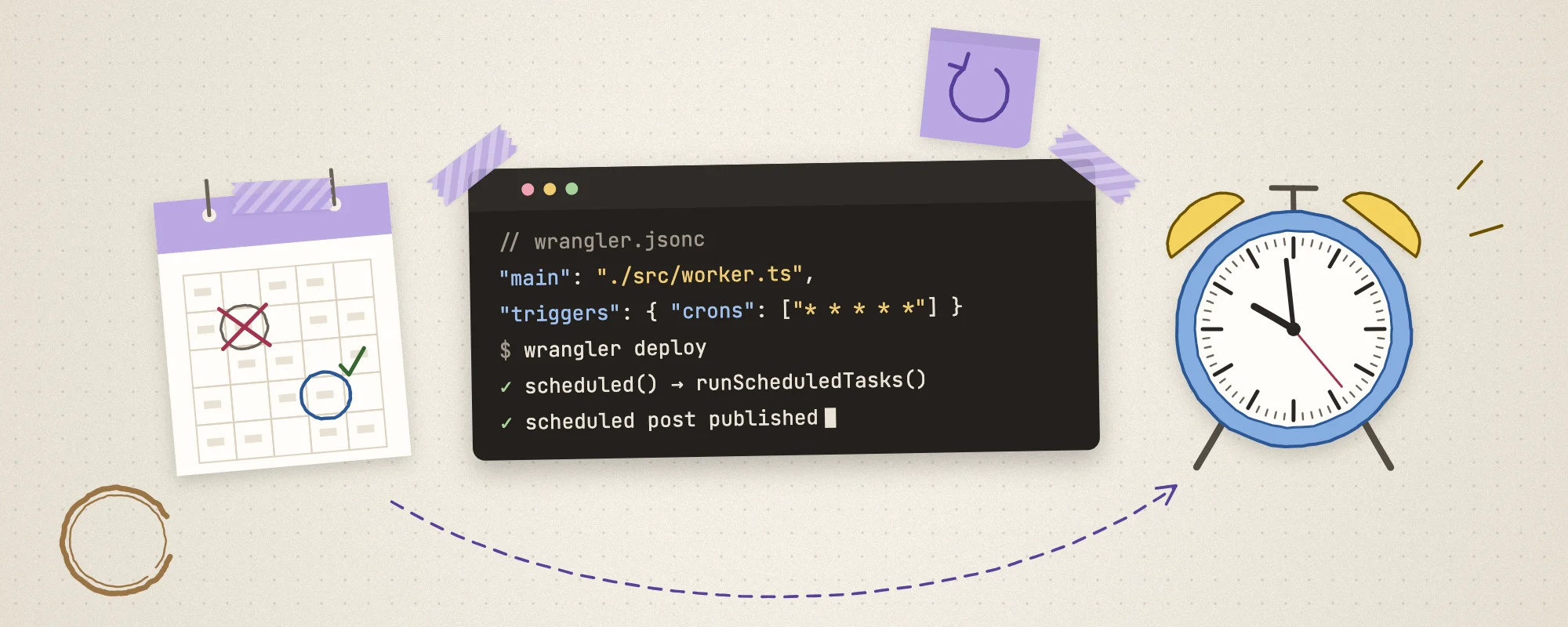
解决方法也很简单, 参考官方文档 ,在 wrangler.jsonc 文件里面,我们添加如下的配置
{
    "main": "./src/worker.ts",
    "triggers": { "crons": ["* * * * *"] },
}# ./src/worker.ts
/**
* Cloudflare Worker entry.
*
* The Astro adapter's own entry only exports `fetch`, so nothing drives
* EmDash's scheduled work in production: the Cloudflare build sets
* `createScheduler = null` and expects a Cron Trigger to call
* `runScheduledTasks()` through a `scheduled()` handler. This re-export adds
* that handler to the same Worker, which is what `emdash doctor` checks for.
* Without it, scheduled posts stay `scheduled` past their publish time.
*/
export { default, PluginBridge } from "@emdash-cms/cloudflare/worker";然后我们推进行部署, 看到像下面这样的配置的话,就代表我们设置成功了,这样就可以正常的使用定时发布功能了!
获得了收集品· Item get
No.028
古代齿轮
普通
- 地区
- 古代科技高地
- 常见地点
- Astro · Cloudflare
- 发现于
- 冒险时长
- 2 分钟 · 已有 3 位旅人到访
读完这次冒险获得。读的人越多,它会变得越稀有。

正在加载评论…